Software
KMG MFT
KMG MFT (managed file transfer) describes every exchange of files between two systems as a named object, the contract. It states in one place what is transferred, where to, when, over which protocol and under which monitoring, and also who may operate it.
A file exchange is a contract, not a script.
Interface
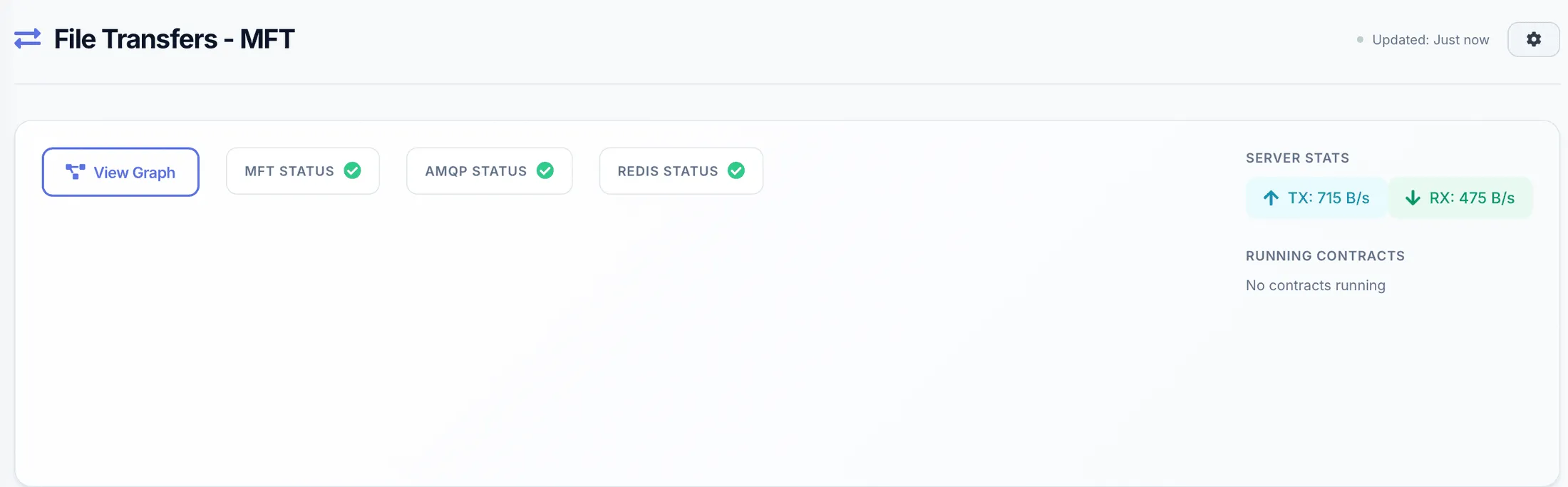
Overview
File transfers nobody is watching
File exchange with partners, service providers and internal systems grows over the years, usually as a collection of cron jobs and shell scripts. As long as everything runs, nobody notices. It becomes noticeable when a partner’s delivery fails to arrive and nobody spots it, because nothing is watching that transfer. Or when the one person who set it up is on holiday.
The contract as the unit
In MFT every file exchange is a contract: a named configuration with source, destination, file pattern, protocol, blocking windows, monitoring thresholds, ticket reference and its own permission groups. It exists as a readable file, so it can be versioned and read. It is monitored automatically, and each contract can be delegated on its own.
Source
SFTP · SMB/CIFS · Azure Blob
Contract
INFRA-9999
Destination
SFTP · SMB/CIFS · Azure Blob
File pattern
Which files are sent, in which order, once all of them are there.
Time windows
When a transfer may run and when it may not, per weekday.
Threshold
How much time may pass after the last successful transfer.
Permissions
Who may see this one contract, and who may trigger it.
Features
One file per contract
The description, source, destination and any further destinations of a transfer are kept as configuration in one file per contract. Nothing needs to be programmed. The transfer command generated from it can be displayed and run by hand on its own.
Three transport routes
SFTP with key or password, optionally in batches with a delay in between; SMB/CIFS with domain sign-in and optional Kerberos; Azure Blob Storage. Where a counterpart insists on outdated methods, the connection can be adjusted specifically for it, so the exchange does not fail because of it.
Complete first, then transferred
Where several files belong together, MFT transfers them only once all of them are present, and in the defined order. During transfer the file carries a temporary name, so the receiving side never picks up something half-written. That avoids the half-processed data sets that plain copying keeps producing.
Monitoring is part of the contract
Every contract carries a threshold: how much time may pass after the last successful transfer before somebody needs to look. Different thresholds per weekday and a list of public holidays reflect the business calendar, so a quiet Sunday does not raise a false alarm. Blocking windows keep transfers out of somebody else’s maintenance slot.
Credentials in a vault
Passwords and keys are kept in an encrypted vault, and contracts only reference them; the vault password lives outside the container image. A contract file can therefore be handed on, reviewed and versioned without carrying credentials with it. On top of that, payloads can be encrypted per contract before they are sent.
Triggering from other systems
Through the REST interface, transfers can be started, aborted, enabled and disabled, and status, file lists and runtime statistics queried. For event-driven flows, MFT also listens on a message queue: a business system reports its finished output and the transfer starts right away.
Your own logic before and after a transfer
Scripts can be registered per contract that run before and after collecting, and before and after delivering, for example to unpack, rename, check or trigger a follow-on step. Customer-specific processing therefore stays outside the product core and survives every update.
Integrations
Integrations
MFT sits between systems and connects to them in several ways:
- SFTP and SCP, SMB/CIFS with optional Kerberos sign-in, Azure Blob Storage
- A documented REST interface for control, status and statistics
- A message queue, so third-party systems can trigger transfers themselves
- KMG Admin GUI as the web front end; several MFT instances can be operated from one interface
- Prometheus and Icinga for alerting, InfluxDB for telemetry, logging to syslog or Graylog
- Jira: every contract carries its ticket reference, and a cross-check compares contracts against the tickets
Security
In file exchange, data leaves the building. That is why access is tightly controlled:
- Sign-in through KMG Admin GUI, or a dedicated token for service-to-service connections
- Permissions in four levels: read or write globally, plus read or write per individual contract
- Credentials are kept in an encrypted vault; contracts only reference them
- Payload encryption before transfer, with a separate key per contract
- Complete logging per contract and transfer, with an identifier to correlate runs that belong together
- The contract defines whether each file is archived or deleted after transfer
- Delete and rename operations are verified by default; the service runs under an unprivileged user
Specifications
Specifications
- Contract definition
- One readable configuration file per file exchange, versionable like source code
- Transport routes
- SFTP, SMB/CIFS and Azure Blob Storage
- Deployment
- As a service on a server or as a container in your environment
- Credentials
- Held in an encrypted vault and only referenced in the contract
- Control
- A documented REST API and event-driven triggering from third-party systems
- Monitoring
- Thresholds per contract, connected to your existing monitoring