Software
KMG Admin GUI
Admin GUI turns operations tasks that would otherwise need shell access and broad privileges into web functions with a clear group permission. 18 modules are available; each installation enables only the ones it needs.
Delegate without widening permissions.
Interface
Overview
Whoever should help needs privileges nobody wants to hand out
Resetting a password, checking why an account is locked, tracing a firewall rule: everyday tasks that ought to sit with the service desk. In practice they sit with the few people who have shell access and far-reaching directory privileges, because the tools allow nothing more fine-grained. That creates waiting time on one side and an uncomfortably large bundle of privileges on the other.
One function per task, one group per function
Admin GUI expresses those tasks as web functions, each tied to one group in the directory service. Members of that group may use exactly that function. At the same time the interface answers audit questions directly: who may reset passwords where, which rule applies on which firewall, which vulnerabilities are open and which have been acknowledged.
Features
A modular build as the core of the product
Every function is a self-contained module with its own routes, views, menu entry and configuration, from directory queries through firewall analysis to the analysis of whole file shares. Configuration decides which modules appear; customer-specific ones are added without touching the core.
Searching and understanding Active Directory
Query, filter and page through users and groups, including in large directories. Nested memberships are resolved in full, account states evaluated, password expiry calculated from the domain policy. Several directory servers are supported, with failover to the next one reachable.
Making delegations visible
Who may reset passwords in which organisational unit? Admin GUI walks all organisational units, evaluates their security descriptors and lists the rights granted. It also shows which accounts are not allowed to change their own password. The evaluation works without domain admin rights.
Password services for self-service and the service desk
Users change their own password. The service desk resets it for others, either with a service account or with the handler’s own credentials, so the change stays attributable to that person in the directory. A check-only function also answers whether a password is correct, without writing anything.
Tracing firewall rules
Admin GUI reads rule sets out of pfSense and VyOS backup files: rules as of a given backup date, the same rule tracked across several firewalls, aliases side by side. From a rule you go straight to the log entries and to the ticket it was requested in.
Keeping the security picture in view
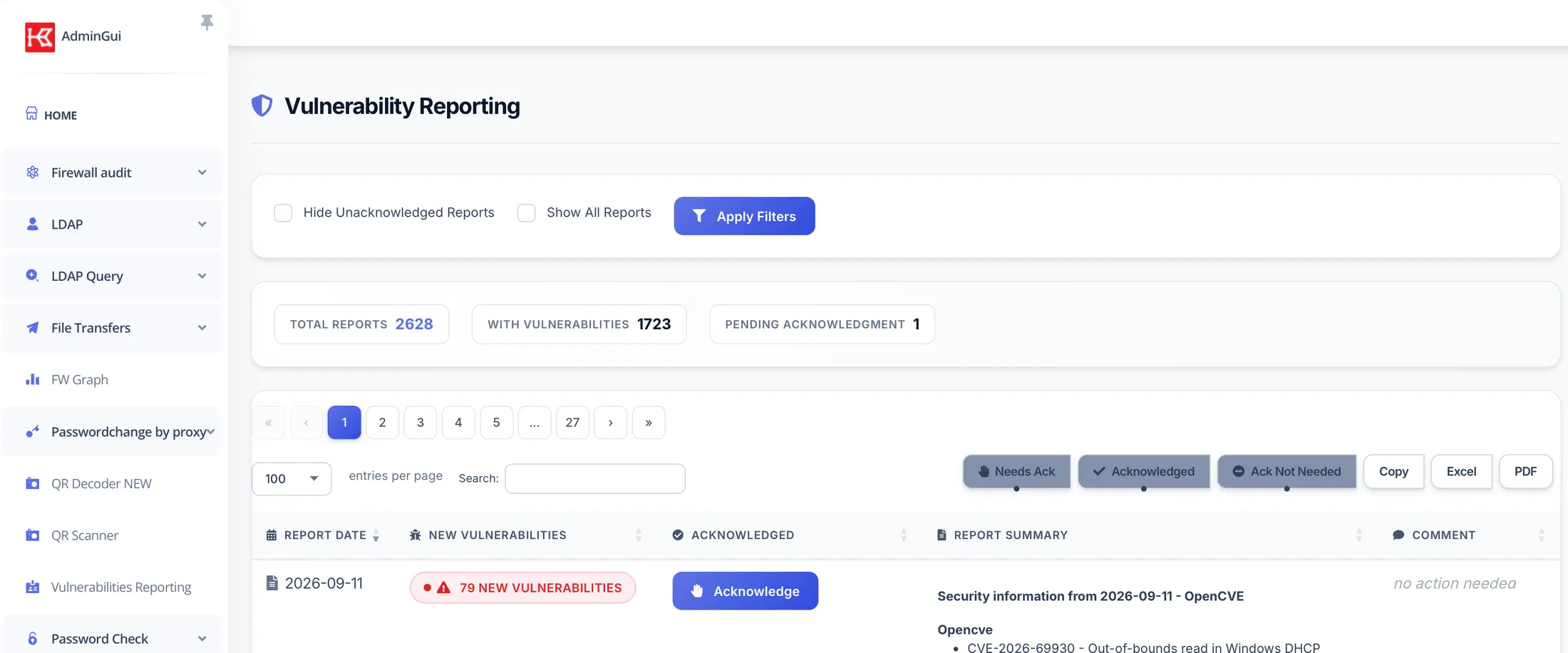
One module tests your own domains regularly against a maintained library of checks and records the findings as a report. A second takes in the daily vulnerability reports and adds an acknowledgement flow, which records who confirmed what, when and why, and what is still open.
Console for KMG MFT
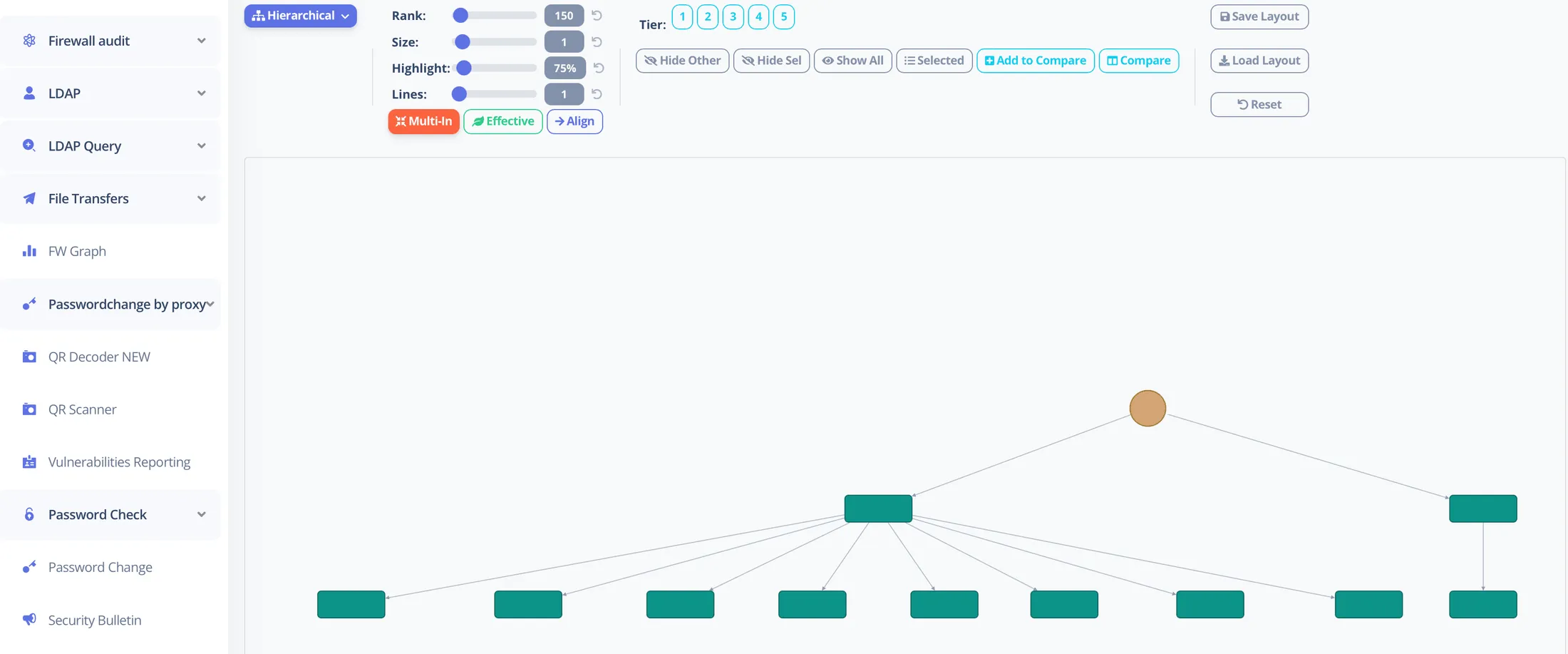
For our KMG MFT product, Admin GUI is the web front end: contract list, configuration and status, file lists, a highlighted log view, triggering and aborting transfers, runtime statistics, the transfer topology as a graph. Read and write permissions can be granted down to the individual contract.
Integrations
Integrations
Admin GUI works with the sources already in your environment and keeps no data store of its own:
- Microsoft Active Directory over LDAP and LDAPS, several servers per installation with failover
- KMG MFT through its REST interface, with several MFT instances operated from one front end
- After sign-in, the authorisation is carried through to downstream services, so no second login is needed
- Graylog as a log sink and as a jump target from the firewall module into the matching entries
- Jira: rules and contracts are linked through their ticket reference, findings flow back as a comment
- Backup files from pfSense and VyOS, inventories maintained by Ansible, security advisories as an RSS feed
Security
A tool that concentrates operational privileges has to be strict with itself:
- Only members of the designated directory group can sign in, including through nested groups
- Each module requires its own group; which group governs what is documented as a matrix
- Only explicitly intended groups are carried through (allow-list)
- File transfers use a finer gradation: read or write globally, plus per individual contract
- Protection against repeated sign-in attempts and the security response headers are built in and cannot be switched off
- Authentication is the default; open paths must be released explicitly
- The container is checked automatically for known vulnerabilities in the build pipeline
Specifications
Specifications
- Deployment
- As a container in your environment; a setup script lays down a working base installation
- Directory service
- Microsoft Active Directory over an encrypted connection; several servers with failover
- Permissions
- Each module bound to a directory group, with no second user administration
- Modules
- Switched on individually per installation; customer-specific modules without touching the core
- Logging
- Locally or to your central log system